Vages PSD 3D Editable Text Effect: A Practical Review for Designers
In the competitive landscape of digital design, visual hierarchy and typographic impact are not merely aesthetic choices; they are functional necessities. Whether you are crafting a high-conversion landing page, designing merchandise for print-on-demand platforms, or preparing marketing collateral for a small business, the ability to create striking text effects quickly can significantly influence project turnaround times and final output quality. Among the various resources available to designers, Vages PSD 3D Editable Text Effect has emerged as a practical tool for those seeking depth and dimension without the steep learning curve associated with complex manual layering.
This review examines the utility, workflow efficiency, and professional applicability of this Photoshop asset. By analyzing its technical specifications and real-world performance, we aim to determine whether it offers genuine value for professionals, entrepreneurs, and serious hobbyists who require reliable, high-resolution results.
Understanding the Core Functionality
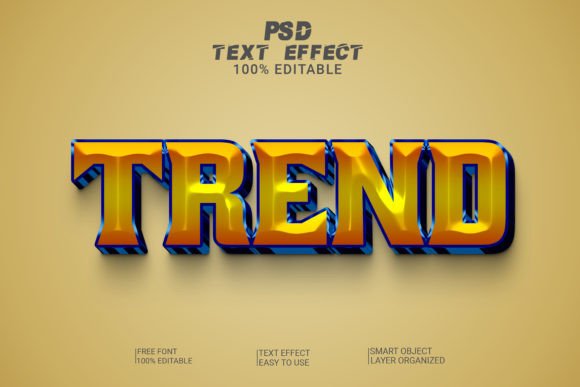
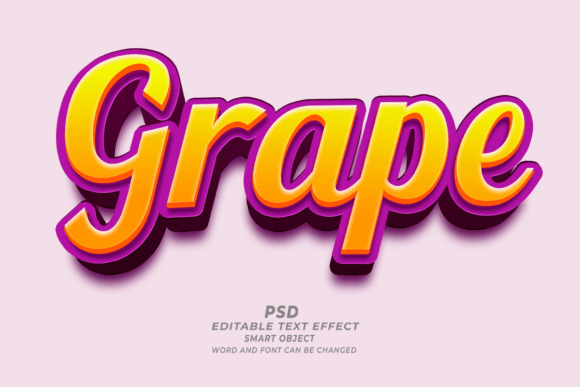
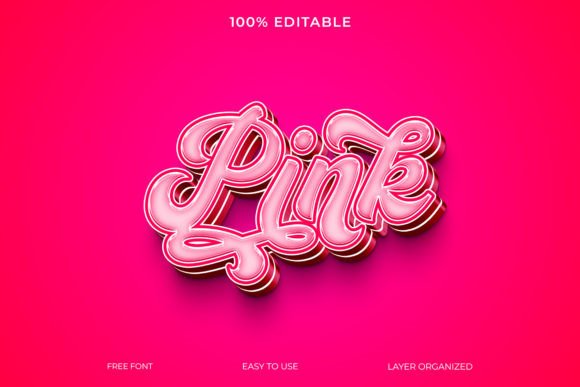
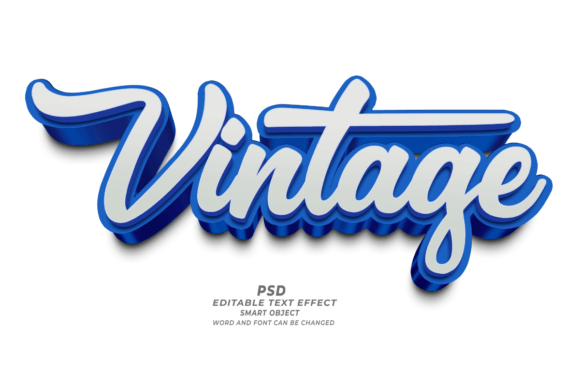
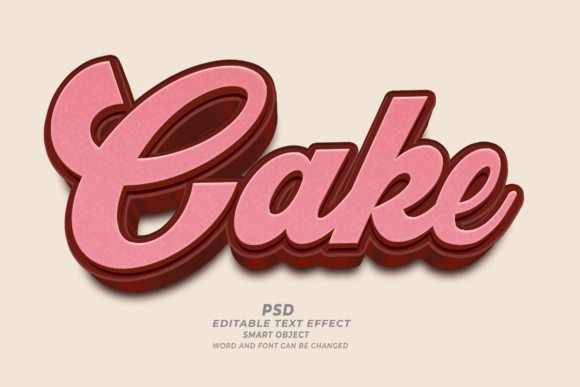
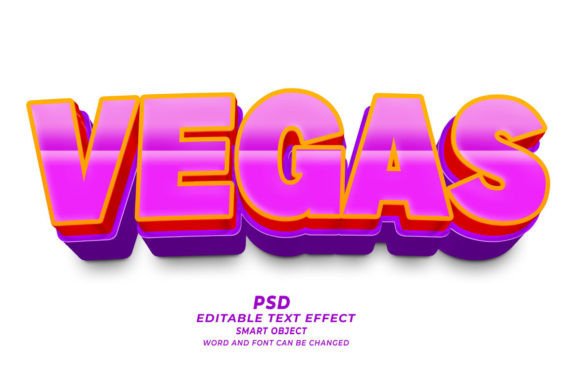
At its foundation, Vages PSD 3D Editable Text Effect is a collection of pre-configured Adobe Photoshop files designed to simulate three-dimensional typography. Unlike standard flat text layers that sit on a single plane, these effects utilize layered styles, shadows, bevels, and gradients to create the illusion of depth. The primary advantage lies in its non-destructive editing capabilities. The files are structured around Smart Objects, which allow users to replace content while preserving all applied effects, lighting, and texture maps.
For designers, this means that the time-consuming process of manually adjusting shadow angles, highlight intensities, and extrusion depths is eliminated. Instead of spending hours tweaking individual layer styles to achieve a specific look, a user can simply double-click the Smart Object, input new copy, and watch the effect update automatically. This feature alone transforms the asset from a static graphic into a dynamic template system, capable of handling multiple variations of the same design language with minimal effort.
Technical Specifications and Quality Standards
One of the first indicators of a professional-grade PSD file is its resolution and color fidelity. Vages PSD 3D Editable Text Effect is delivered at a high resolution of 300 DPI (dots per inch). This specification is critical for any project intended for physical reproduction. Digital screens operate at 72 or 96 DPI, but print materials such as brochures, posters, T-shirts, and book covers require higher pixel density to avoid pixelation and ensure crisp edges. By providing assets at 300 DPI, the creator ensures that the text effects remain sharp and clean when sent to commercial printers.
The inclusion of editable fonts and sizes further enhances the flexibility of the set. Users are not locked into a specific typeface unless desired. Because the text layers are fully editable, designers can swap in brand-specific fonts or trending typefaces to match current market aesthetics. This adaptability is particularly useful for agencies or freelancers who manage multiple clients with distinct brand identities. The ability to adjust size and weight dynamically allows for precise control over layout balance, ensuring that the 3D effect complements rather than overwhelms the surrounding design elements.
Practical Applications Across Industries
The versatility of Vages PSD 3D Editable Text Effect makes it suitable for a wide array of industries and use cases. Its utility extends beyond simple web graphics into tangible product design and publishing.
- E-commerce and Print-on-Demand (POD): For entrepreneurs selling on platforms like Etsy, Redbubble, or Amazon Merch, unique and eye-catching designs are essential for standing out in crowded marketplaces. These PSD files allow sellers to rapidly generate variations of popular phrases or slogans, testing different colors and styles to see what resonates with their audience. The 3D effect adds a premium feel to T-shirts, mugs, and phone cases, potentially justifying higher price points.
- Marketing Materials: Small business owners often lack the budget for custom graphic design services for every campaign. Using editable text effects enables marketers to create polished banners, social media ads, and email headers that maintain a consistent, professional aesthetic. The speed of editability allows for agile responses to trends or urgent promotional needs.
- KDP Book Covers: Self-publishing authors using Kindle Direct Publishing (KDP) face stiff competition. A cover with flat, basic text may fail to attract clicks. Incorporating 3D text effects can elevate the perceived value of a book, making it appear more professionally produced. Since KDP requires high-resolution uploads, the 300 DPI nature of these files is directly applicable to cover design workflows.
- Web Banners and UI Elements: Web designers can leverage these effects for hero sections, call-to-action buttons, or featured article titles. While web optimization usually involves compressing images, starting with a high-quality source ensures that the text remains legible and impactful across different screen sizes and resolutions.
Evaluating Usability and Workflow Integration
The phrase "Just Click and Edit" accurately describes the user experience for those familiar with Adobe Photoshop. However, even for beginners, the interface is intuitive. The reliance on Smart Objects simplifies the workflow significantly. There is no need to understand the intricacies of gradient maps or displacement filters to achieve a polished result. This lowers the barrier to entry, allowing individuals with basic design knowledge to produce professional-looking outputs.
However, usability also depends on the organizational structure of the PSD file. Well-constructed templates group layers logically, label them clearly, and provide clear instructions. If the file structure is chaotic, finding the correct layer to edit can negate the time-saving benefits. In the case of Vages PSD 3D Editable Text Effect, the emphasis on easy editing suggests a streamlined architecture, though users should always inspect the layer panel upon opening the file to ensure compatibility with their specific version of Photoshop.
Furthermore, the effect works not only with text but also with shapes. This expands the creative possibilities, allowing designers to create 3D icons, badges, or decorative elements. This dual functionality increases the long-term value of the asset, as it serves multiple purposes within a single design project.
Potential Limitations and Considerations
While Vages PSD 3D Editable Text Effect offers significant advantages, it is important to approach its use with realistic expectations. First, the visual style is fixed to the preset configurations provided. While colors and fonts are editable, the underlying geometry and lighting model are determined by the template. Designers looking for highly customized, avant-garde, or radically unconventional typography may find the presets limiting. It is best suited for projects where a classic, bold, or modern 3D aesthetic is appropriate.
Secondly, heavy use of 3D effects can increase file size and rendering time, especially if working with large canvas dimensions. Designers must balance visual impact with performance, particularly when creating animations or interactive web elements where load times are critical. Additionally, while the files are high-resolution, scaling them up beyond their original dimensions will inevitably lead to quality loss. Users should work within the constraints of the provided document size to maintain clarity.
Conclusion: Is It Worth the Investment?
For professionals and creators who prioritize efficiency and consistency, Vages PSD 3D Editable Text Effect represents a solid resource. It addresses a common pain point in design workflows: the time required to create complex typographic treatments from scratch. By offering a reliable, high-resolution, and easily editable solution, it empowers users to focus more on strategy and less on technical execution.
The asset is particularly valuable for those operating in fast-paced environments, such as freelance marketing, POD businesses, and self-publishing. It bridges the gap between amateur and professional aesthetics, providing tools that enhance the perceived quality of digital and print materials. While it may not replace the need for advanced design skills in every scenario, it serves as an excellent force multiplier, enabling designers to deliver polished, impactful work with greater speed and confidence. If your goal is to incorporate dimensional typography into your projects without reinventing the wheel, this tool offers a practical and effective pathway to achieving that result.